In this article

I wanted to understand how work was moving through our team. How long did it actually take? How much were we finishing? What could we reasonably expect to deliver next?
An Excel spreadsheet already helped me answer those questions. It calculated the metrics and ran the forecasts. But I still had to collect the Jira history and keep the data up to date, alongside my responsibilities as technical lead and my own technical work.
I built the Flow Metrics MCP server to stop doing that preparation by hand.
Finding something more useful than velocity
I had been reading Flow Metrics for Scrum Teams, by Daniel Vacanti and Will Seele, and When Will It Be Done?, by Vacanti. I wanted to move away from story points and lean on flow metrics and Monte Carlo forecasting instead.
I'm not an agilist by trade, but I took the central idea seriously: forecast from delivery history without estimating every ticket. We could use the work we had already finished to understand how long items took and how much we were completing. I wanted planning to be about what that history suggested and how much risk we were willing to accept.
The spreadsheet worked. Feeding it was the problem
The workbook already calculated Cycle Time and daily throughput, summarised recent sprints, and ran Monte Carlo forecasts. It gave me a range of how many items might finish by the end of a sprint, with different probabilities.
I could run thousands of simulations. I was still doing the ticket bookkeeping by hand.
I collected ticket names and links from Jira and added them to the spreadsheet. I tracked when a task started, when it moved into review, when it closed, and the changes in between. The calculations depended on me keeping that information up to date.
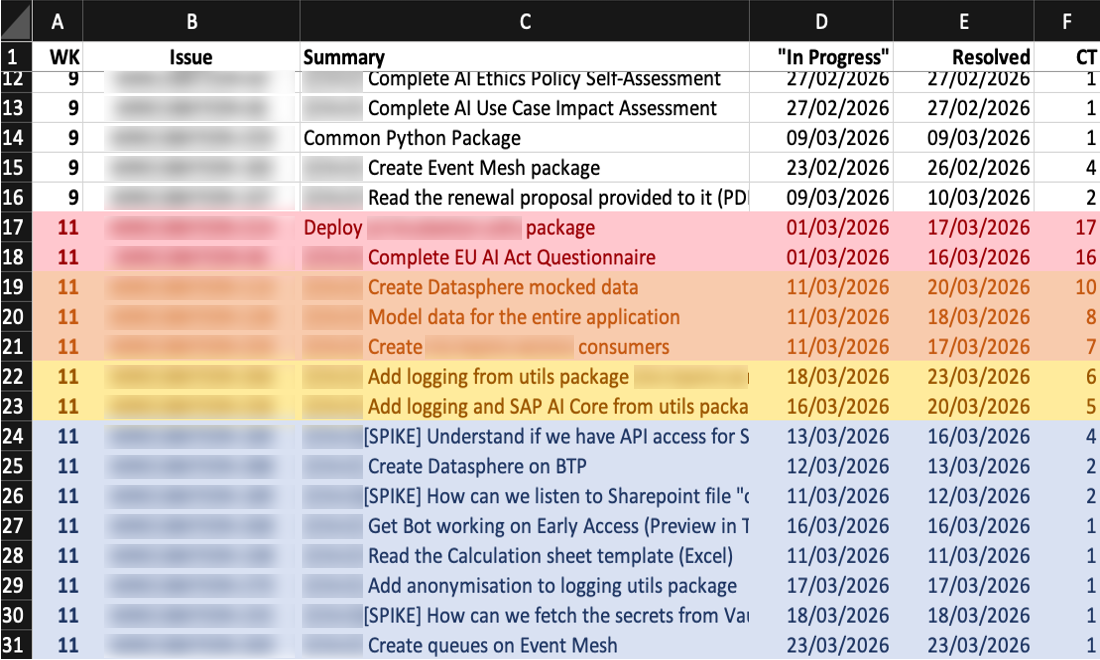
Looking further back meant finding older tickets and reconstructing more of their history. I put that analysis off because I knew what preparing it would involve.
Did I still need the spreadsheet?
My first idea was to have Claude fill in the spreadsheet for me. I had a working model and a task I was tired of doing. I wanted the agent to collect the ticket details and put them in the workbook.
Then I realised I was just automating an archaic process. An agent could work with the data I already had in the spreadsheet and do the calculations from that. I could take the analysis out of Excel, even if the file was still where the data lived.
But the data came from Jira. If the agent could fetch it there, why keep copying it into a spreadsheet at all?
That was what I wanted to build: a way to work with the Jira data directly, without the spreadsheet deciding which analyses were available to me.
Getting the data straight from Jira
Exports were not a consistent way to get the history I needed. In one setup I could get it through export. In another, the export was incomplete, although I could retrieve the history through the API.
Even when an export worked, I still had to get it to Claude. A script I ran by hand would leave me doing that handoff too. I wanted the assistant to be able to ask for the data itself, as part of the conversation.
So I built a Model Context Protocol (MCP) server that lets Claude retrieve Jira history and request flow metrics and forecasts. The calculations run in code; Claude calls them and works with the results.
The work I no longer do
My team uses the MCP server now. When I want a report or the data for our daily Scrum, I ask Claude. It takes about two minutes from prompt to result, and I don't have any data preparation to do.
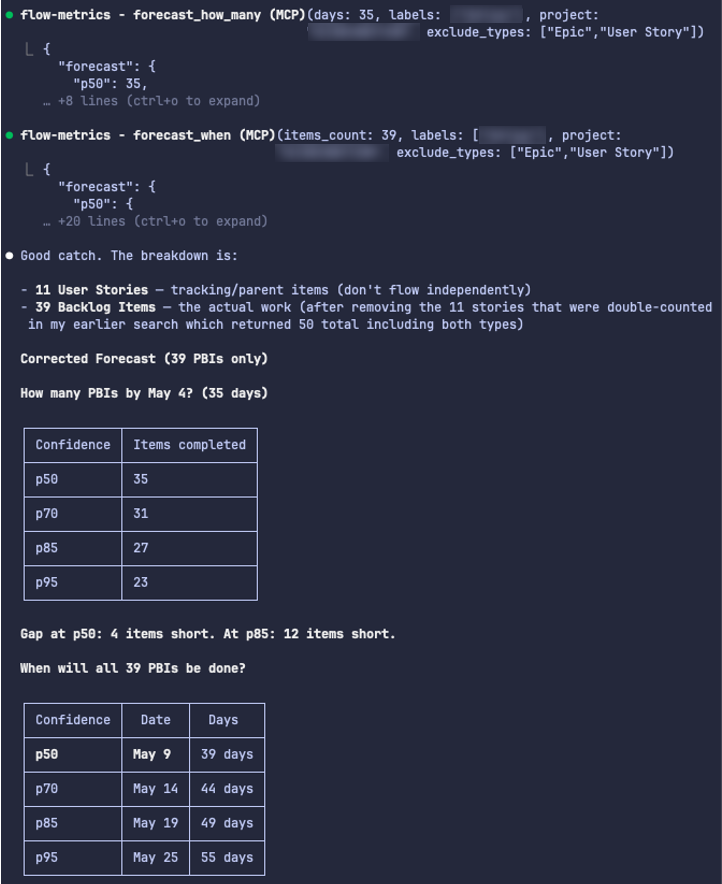
I remember spending about an afternoon per sprint on the spreadsheet preparation. I was updating task statuses at least once a day, which took roughly ten minutes. Before a retrospective, I'd spend around half an hour checking the ticket data before extracting it and plotting the graph. That was also the data I used for planning. Historical analysis took much longer.
I'm also no longer limited to the reports I had already built into the workbook. If a question about recent delivery takes me into earlier sprints, I can follow it through to the individual ticket histories.
Final thoughts
Before handing a process to an agent, it’s worth asking which parts still need to exist. I needed the Jira history and a way to analyse it. Keeping a spreadsheet up to date was how I’d been doing that, but it didn’t have to be part of the solution.